
The Commercial Printing Process: From File to Finished Print
estimated reading time: 6 minutes
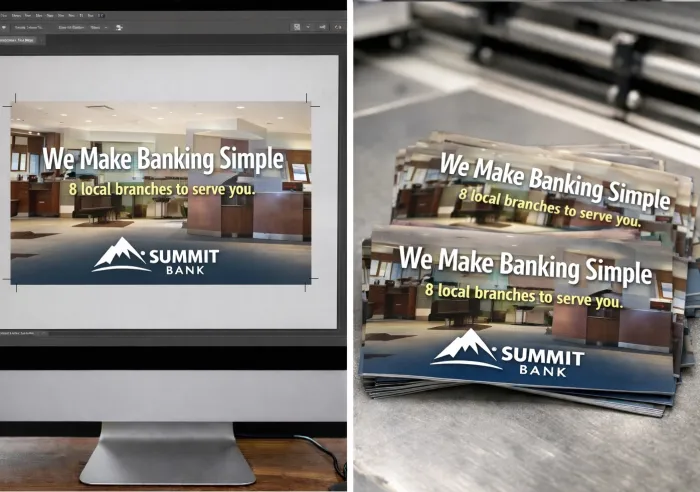
What happens after you upload your artwork file?
The commercial printing process can seem a little
mysterious. You upload a design file to a printing company, and sometime later
boxes of professionally printed materials appear at your door or loading dock.
But what actually happens between the file upload and the
finished prints?
Though every print project is different, most jobs follow the
same series of steps to ensure a high-quality final product.
Below is a simple overview to help you understanding the
basic stages of the commercial printing process…

1. Initial File Review
The process begins when a customer submits an artwork file, usually through an online upload portal or via email. Upon
receiving it, a member of the printer's team will verify that the file's
content and attached correspondence matches the requested specifications for
the project.
Examples of things checked at this initial stage include the
final trim size, paper type and thickness, order quantity, page count and
binding type (if a bound document), and finishing options.
If anything appears inconsistent - such as an incorrect size
or missing pages - the customer will be contacted for clarification before
production moves forward.
This early review helps prevent costly mistakes later in the
printing process.
2. Prepress File Preparation
Once a file passes the initial review, it moves to the Prepress
stage. This is a more technical review of the file to prepare it for production
and ensure the job is truly press-ready.
During this phase, a prepress technician uses specialized
software to check many important details, such as image resolution, color mode (typically
CMYK), embedded or outlined fonts, proper margins, bleed, and crop marks.
The Prepress stage may also involve arranging the file
layout to better fit the press sheets and ensuring the colors will reproduce
accurately during printing.
If any issues are discovered at this point - such as low resolution
images or missing fonts - the printer may request revised files from the
customer.
3. Proofing and Approval
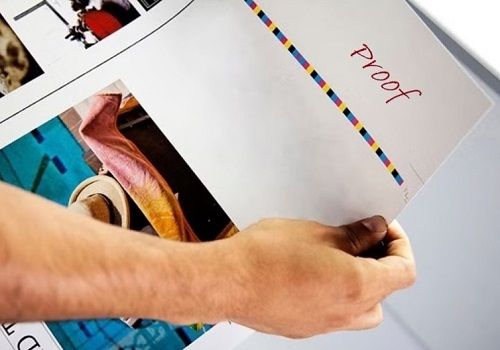
Prior to production, a proof is created so the customer can review and approve the final layout of the project.
Proofs are important
because they ensure all the elements within the design have the proper
appearance and placement. Proofs are either created as digital proofs or
printed proofs.
A digital proof, also known as a soft proof, refers to
an electronic file that displays on a computer screen. As such, soft proofs do
not exist in physical form. Instead, a soft proof simulates a printed piece
through digital imagery. PDFs are the most common type of digital proof.
A printed proof, also known as a hard copy proof, refers to
a physical proof. Since hard copy proofs are basically a one-off version of a print
project, they can be expensive to produce. Plus, they often have to be mailed or
shipped, which adds cost and time to the project.
Once a proof is approved by the customer, the project is cleared for
printing. Depending on the order quantity and type of job, printers may use Digital printing or Offset printing. Digital presses are typically used for
shorter production runs whereas offset presses are more cost-effective for
larger quantities.
4. Plate Creation (for Offset Printing)
Digital printing presses can create printed output directly
from the artwork files. However, offset presses require an additional step -
the creation of printing plates. Each plate transfers ink for a specific color
during the offset printing process.
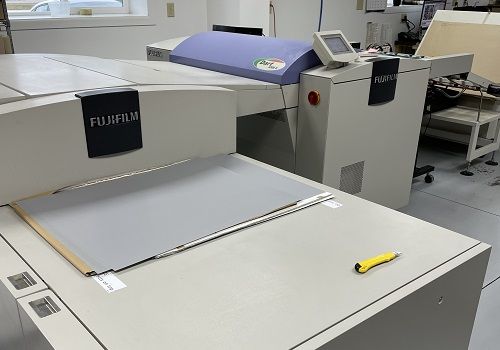
Using a computer-to-plate system, the digital artwork files are imaged directly onto thin plates of aluminum or polyester. In full-color printing, four plates are typically produced - one each for the ink colors of cyan, magenta, yellow, and black (CMYK).
After the printing plates are ready, they are mounted onto
cylinders. Once the plates are secure and the press is calibrated, the offset press
is ready to start printing. As the plate cylinders rotate, they offset the inked
images onto a rubber blanket cylinder and then onto the paper.
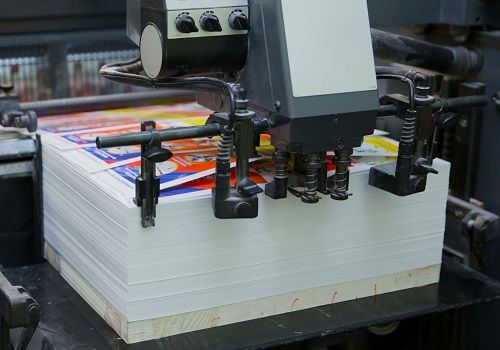
5. Printing on the Press
This is where the artwork layout is transformed
into physical printed sheets.
During the production run, press operators carefully monitor
several factors to maintain consistent, high-quality results, including:
- Color consistency - to ensure the colors remain stable throughout the entire run
- Ink density - to maintain the proper amount of ink on the sheet for accurate color reproduction
- Registration - to keep each color in perfect alignment so images and text appear clear and sharp
Both digital and offset printing presses are highly precise,
but experienced press operators still need to monitor the job closely. As such,
they periodically inspect printed sheets and make small adjustments when
necessary.
This hands-on oversight helps ensure that every sheet in the
run meets professional quality standards and accurately matches the approved
proof.
6. Finishing and Bindery
After the press has processed all the sheets needed for the
order, the printed sheets are moved to the finishing department, where they are converted
into the final product.
The finishing processes vary from project to project, but may
include:
- Cutting to the final trim size
- Scoring and Folding
- Binding (such as Saddle Stitching, Perfect Binding, Spiral Coil, or Wire-O)
- Clear Coating or Laminating
- Specialty enhancements like Embossing or Foil Stamping
The finishing stage is where stacks of printed sheets become
brochures, books, catalogs, etc.
7. Quality Check, Packing and Shipping
Before a job leaves the print facility, it goes through a
final inspection. This step confirms that the printed materials match the
approved specifications and that the finishing work was completed properly.
After inspection, the products are carefully packaged to
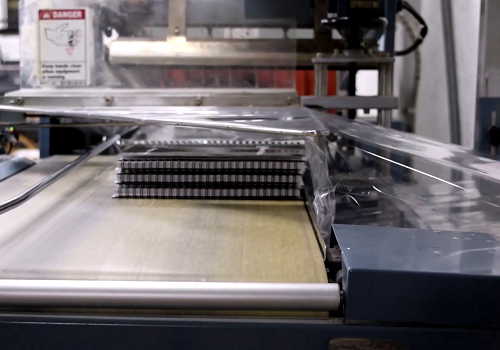
prevent damage during shipping. Depending on the order, the printed pieces may be shrinkwrapped,
boxed, and/or palletized before being shipped to the requested destination.
Once the printed materials are shipped, the commercial
printing process is complete.
From Pixels on a Screen to Ink on Paper
Although each of the above steps happens behind the scenes, they all play an important role in producing professional results.
From prepress
file checks to final finishing and shipping, careful attention to detail
ensures that the final printed product meets both the printer's quality
standards and the customer's expectations.
Color Vision can assist with all your Printing needs!
If you have a need for custom printing, be sure to get in
touch with Color Vision. We can help with just about any type of print materials
you may need, such as…
- Books, Manuals, Catalogs, Magazines, Comics
- Brochures, Flyers, Postcards, Mailers
- Maps, Calendars, and Notepads
- Instruction Sheets and Sell Sheets
- Door Hangers, Table Tents, and Rack Cards
- Flip Books (Table Top Presentation Books)
- Presentation Folders and Binder Sets
Over the past 40+ years, Color Vision has
developed a strong reputation in the printing industry by offering quality
printing at affordable prices. Also, because we offer both offset and digital
printing services, we can assist with just about any size project.
So if you would like a quote, just use our easy Quote
Request form to send us your specifications. Or, if you prefer to discuss
your project by phone, we can be reached at 800-543-6299.
As always, we look forward to assisting with your custom printing needs!

Pete is a member of the Color Vision team and has nearly 20 years experience in printing, design, and marketing. He writes about a wide range of print-related topics, including book printing and binding, full-color printing, paper types, and finishing techniques. His articles contain simple, straightforward explanations, helping people to better understand their printing options and make more informed decisions about their projects.
Related Articles
Matte vs Uncoated: Which Paper is better for your Project?
Read This Article

10 Frequently Asked Questions about Flip Book Printing
Read This Article
Finishing in Printing: What are the Most Requested Options?
Read This Article
Which Process is Better? Digital Printing vs Offset Printing
Read This Article